

 Udemezue John
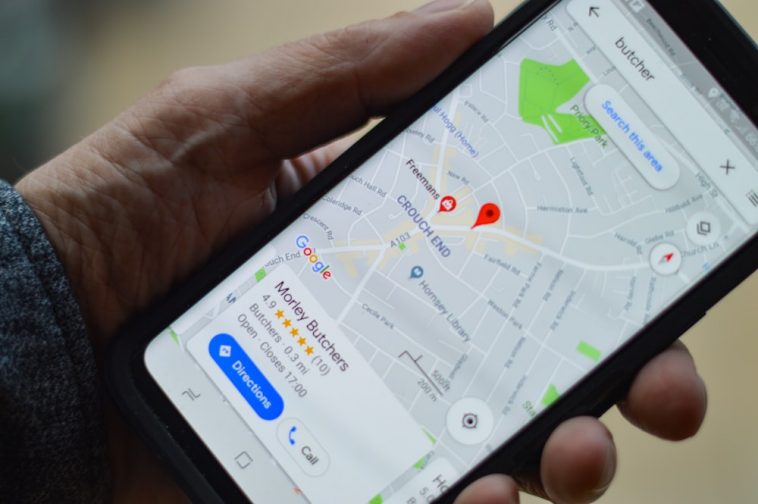
Local businesses lose money every single day simply because nearby customers cannot find them on Google Maps. A local auto shop, dentist, or plumber might provide amazing service, but if their business does not show up on the map when someone searches for help, those customers go straight to competitors.
Helping small businesses fix and improve their Google Maps listings is one of the most reliable ways to build a flexible online income. You do not need a tech degree, years of coding experience, or a large upfront budget to start. You only need to learn how Google Maps works, how to spot businesses that need help, and how to reach out to owners with a clear solution.
Make sure to subscribe to this article
Why Google Maps Is a Goldmine for Online Income
When people use Google Maps to search for services near them, they are not just browsing. They have an immediate need. If someone searches for emergency locksmiths or local mechanics, they are usually ready to call and pay right away. This high customer intent makes map listings valuable to local business owners.
Google displays the top three local businesses in a special block at the top of search results, often called the Map Pack. Businesses listed in these top three spots receive the vast majority of calls, directions requests, and website clicks.
Many small business owners are simply too busy running daily operations to manage their online presence. Others do not know how to set up their business profiles correctly. By offering to manage and optimize their Google Maps presence, you provide a clear service that brings them new paying customers.
4 Main Ways to Monetize Google Maps
There are several straightforward ways to turn Google Maps skills into a paid service.
1. Claiming and Verifying Unclaimed Profiles
Many older or traditional businesses have listings generated automatically by Google, but the owner has never claimed them. Unclaimed profiles often contain incorrect store hours, old phone numbers, or wrong addresses. You can help business owners claim, verify, and secure their listing so they take back control of their online profile.
2. Local SEO Profile Optimization
Claiming a listing is only the start. To move up the rankings, a profile needs full optimization. This includes adding accurate category tags, writing high-quality business descriptions, uploading clean photos, listing services, and keeping information consistent across the web. Learning how to do SEO for Google My Business allows you to charge recurring monthly fees to keep profiles optimized.
3. Review Management and Customer Feedback Setup
Customer reviews are one of the biggest ranking factors on Google Maps. Businesses with few reviews or unanswered complaints lose customer trust quickly. You can set up simple review generation systems for owners, such as QR codes for receipts or automated follow-up messages, to help them collect more positive customer reviews ethically.
4. Simple Website Creation for Map Listings
A Google Maps profile works best when linked to a clean, fast website. Many local shops either have no website or an outdated page that does not work well on mobile phones. You can build basic one-page websites using simple site builders and connect them directly to their map profile for an extra service fee.
Step 1: Find Businesses That Need Help
To find your first potential clients, open Google Maps and search for local service industries in mid-sized cities. Good industries to target include:
- Roofers and plumbers
- Landscapers and lawn care services
- Tow truck companies
- Mobile auto detailers
- Local carpet cleaners
Search for these services in target cities and scroll past the top three listings. Look at businesses on page two or lower, or listings with incomplete details.
Look for red flags like missing business hours, no website link, missing photos, or profiles marked as “Claim this business.” These red flags mean the business owner is losing potential customers every day and could benefit from your help.
Step 2: Pitch Business Owners with Simple Audits
Once you find a business with an unoptimized profile, avoid sending long sales scripts filled with technical jargon. Business owners are busy and care about one thing: getting more customers.
Reach out with a short, friendly message highlighting one or two specific issues you noticed. For example, point out that their phone number is missing or that competitor profiles have dozens more pictures. Offering a short video showing how to fix the problem builds instant trust.
When contacting potential clients, understanding cold outreach vs inbound marketing for freelancers helps you choose the right communication strategy. If you prefer sending direct emails, learning how to write cold emails that get responses ensures your messages get opened instead of ignored.
If you want to move beyond basic local searches, exploring strategies for finding high-paying clients outside of freelance marketplaces will give you a steady stream of prospective leads.
Step 3: Package and Price Your Services
Pricing your services fairly ensures you get paid for your effort while giving business owners a clear return on investment.
For basic profile setups and claiming, you can charge a one-time fee between $150 and $300. This covers claiming the business, filling out all profile fields, uploading starter images, and selecting correct business categories.
For ongoing management, standard monthly retainers range from $200 to $500 per month per client. Ongoing work involves uploading weekly photos, adding new posts or offers to the profile, responding to customer reviews, and tracking search performance.
To present your offers clearly, focus on creating freelance packages that clients love to buy. Clear tier levels—like a basic setup package versus a full monthly management package—make decision-making easy for owners.
Be realistic about your timeline. Building an income stream from Google Maps requires steady effort. You will not get rich overnight, and you may need to pitch dozens of business owners before landing your first paying client. But once you secure three to five monthly retainer clients, you have built a predictable income base.
Step 4: Deliver Real Results and Improve Rankings
After signing a client, focus on practical actions that directly influence local rankings:
- Choose one correct primary category that matches the exact core business, followed by relevant secondary categories.
- Ensure the Name, Address, and Phone number (NAP) are identical on the profile, website, and local directories.
- Add high-quality, authentic photos of the business, team, equipment, and finished work. Avoid stock photos.
- Encourage happy customers to leave honest reviews and respond to every single review promptly.
- Post regular updates and special offers directly on the Google profile.
Consistently applying these fundamentals is key to ranking first on a Google My Business profile, helping your client get more phone calls and foot traffic.
Frequently Asked Questions
Do I need to be a digital marketing expert to start?
No. You only need to understand basic profile setup, clear communication, and consistent organization. Most small business owners simply do not have the time to learn these basics themselves.
Is it legal to claim a business profile for someone else?
You must always get explicit permission from the business owner. Never attempt to claim or edit a profile without the owner’s authorization. Acting ethically is essential for building a sustainable business.
How long does it take to see ranking improvements on Google Maps?
Initial profile updates can show results within a few weeks. However, significant ranking changes usually take between 30 to 90 days of consistent updates and review collection.
Final Thoughts
Making money online with Google Maps is built on solving a real problem for local business owners. When you help a local business show up on Google Maps, you directly help them gain new customers and grow their revenue. Start small by auditing a few local profiles in your area, learning the setup steps thoroughly, and reaching out to business owners with helpful, practical advice.
Which local business niche in your area do you think needs the most help getting listed on Google Maps?



GIPHY App Key not set. Please check settings