

 Udemezue John

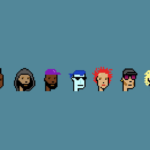
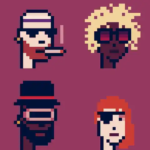
CryptoPunks are not just pixelated profile pictures. They are the original blue-chip NFTs, first created back in 2017 by Larva Labs.
Think of them as the digital equivalent of fine art—historical, rare, and usually very expensive. In fact, the cheapest (floor price) often sits around 30 ETH, which is about $70,000+ as of mid-2026.
Make sure to subscribe to this article
I remember when I first navigated this process; it felt intimidating because you are dealing with custom smart contracts that predate modern NFT standards.
But after walking this path myself, I can tell you that the actual transaction is straightforward once you know the specific steps.
Here is exactly how to buy your first Punk without getting lost in the tech.
One Big Thing to Know First: Wrapped Punks
Before you click a single button, you need to understand “Wrapped Punks.”
The original Larva Labs contract does not talk to most modern marketplaces like OpenSea easily. To solve this, the community created Wrapped CryptoPunks (WPUNKS) .
When you wrap your Punk, you essentially turn it into a standard NFT that OpenSea can recognize instantly. Most of the buying happening on OpenSea today is actually for Wrapped versions.
1. Prepare Your Wallet and Funds
You cannot use PayPal or Venmo here. You need a Web3 wallet and actual ETH (Ethereum).
- Install MetaMask: This is the gold standard for interacting with NFT sites. Download the browser extension or mobile app.
- Buy ETH: You need ETH to purchase the Punk, plus extra for “gas fees” (the fee to process the transaction on Ethereum). You can buy ETH on exchanges like Coinbase or Kraken and then send it to your MetaMask wallet address.
- Bridge if needed: If you have funds on other networks (like Solana), you will need to “bridge” them to the Ethereum network to use them.
2. Buying via Larva Labs (The Official Site)
If you want the original, raw experience, Larva Labs is the place. However, it is a bit clunkier than OpenSea.
- The Process: Go to the official Larva Labs CryptoPunks marketplace. Look for the punks listed with a green background. Click on the Punk you want, hit the “Buy” button, and your MetaMask will pop up to confirm the swap of ETH for that Punk.
- The Wait: Unlike standard NFT purchases, this transaction happens directly on the blockchain without a middleman. You will see the Punk appear in the Larva Labs interface when it is done.
- The Quirk: Because Larva Labs uses an older tech setup, the buy button might feel slow. Do not double-click and never refresh the page while the transaction is pending unless you want to accidentally bid on the wrong thing.
3. Buying via OpenSea (The Easy Route)
For most people, OpenSea is the smoother experience. It is essentially the Amazon of NFTs.
- Connect Your Wallet: Visit OpenSea and click the wallet icon in the top right. Select MetaMask and approve the connection.
- Search for Punks: Type “CryptoPunks” in the search bar. You will likely see the official “CryptoPunks” collection (these are the Wrapped ones).
- Review the Traits: Click on a Punk you like. Look at the “Properties.” Some traits (like a beanie, hoodie, or specific eye color) are much rarer and drive the price up.
- Make the Purchase:
- Buy Now: This is the instant purchase. You pay the listed price plus gas fees.
- Make an Offer: This is the bidding strategy. You can place a lower bid if you are willing to wait.
Avoiding the Traps (Safety Check)
The NFT space has scams. Here is how to stay safe:
- Verify the Collection: There are dozens of fake CryptoPunk collections on OpenSea. Always click the official collection badge and compare the contract address to the one listed on the Larva Labs website.
- Beware of “Free” Punks: If someone sends you a random Punk in your wallet, do not interact with it. It is likely a phishing token designed to drain your wallet.
- Double Check the Price: A common mistake happens on Larva Labs where a user thinks their bid didn’t go through, so they bid again, accidentally spending double. Always check your wallet balance first.
Frequently Asked Questions
How much do I realistically need to start?
Check the “floor price” on CoinGecko or OpenSea first. As of May 2026, the entry point is roughly 30 ETH ( 70k), plus about 0.01ETH(20) for gas fees. It is a major investment.
Should I use a hardware wallet?
Yes. If you are spending tens of thousands of dollars, get a Ledger or Trezor. It stores your private keys offline. Connect it to MetaMask, and your Punk will be much safer from hackers.
What happens if I buy on OpenSea?
Since you likely bought a “Wrapped” version, you will own a WPUNKS token. You can keep it as is or “unwrap” it on the official Larva Labs portal to convert it back to the original format, though this also costs gas fees.
Wrapping Up
Buying a CryptoPunk feels like closing on a small house, but the process is just moving ETH from point A to point B.
The hardest part is not the technology; it is having the patience to verify the authenticity of the item before you hit confirm.
Take your time. Look at the transaction logs. And remember that once you hit send on that Ethereum, ownership is final.
Now, I am curious: what is pushing you to make that leap today? Is it the art, the historical status, or just a gut feeling that these little pixels are the future?

GIPHY App Key not set. Please check settings