

 Udemezue John
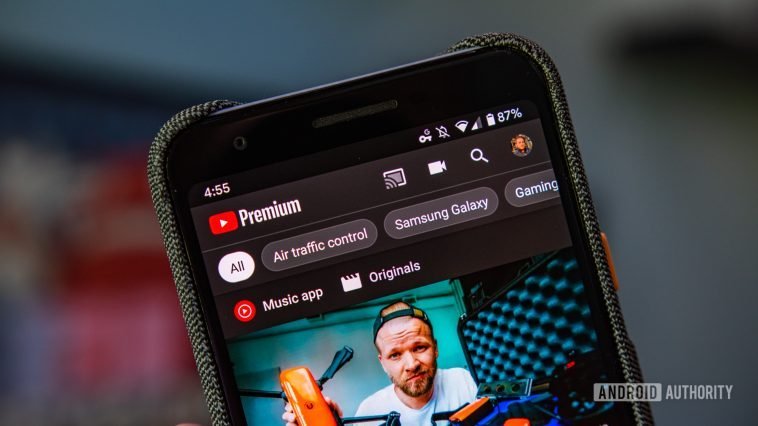
Starting a YouTube channel takes a lot of time and hard work. Running a channel requires writing scripts, recording voiceovers, editing videos, designing thumbnails, and learning search optimization. Doing all these tasks on your own can quickly feel overwhelming.
YouTube automation software makes this process simple. These tools handle repetitive, time-consuming tasks so you can publish high-quality content consistently. You do not need technical skills, expensive equipment, or a massive budget to get started.
Make sure to subscribe to this article
Here are the 5 best YouTube automation software tools for beginners:
- vidIQ (Best for Video SEO and Topic Ideas)
- ChatGPT (Best for Scriptwriting and Brainstorming)
- InVideo (Best for Automated Video Creation)
- ElevenLabs (Best for Voiceover Generation)
- OpusClip (Best for YouTube Shorts Automation)
Let’s look at how each tool works, why it helps beginners, and how to use it in your content strategy.
1. vidIQ: Best for SEO and Content Research
Creating videos on topics nobody is searching for is a common mistake for new channels. You can spend days editing a video, but if there is no audience demand, nobody will watch it. vidIQ solves this problem before you start making content.
vidIQ is a tool designed to help you understand what people search for on YouTube. It acts as a channel assistant that tells you which video ideas have real search demand.
Why Beginners Need It
When starting a channel, you lack audience data and subscriber history. vidIQ levels the playing field by giving you direct insight into search volumes, video tags, and competitor performance. It removes the guessing game from content planning.
Key Features
- Keyword Inspector: Shows monthly search numbers and competition levels for specific topics.
- Daily Ideas: Suggests video ideas tailored to your channel niche every day based on active trends.
- AI Title Generator: Suggests catchy video titles built to increase click-through rates.
- Competitor Tracking: Displays top-performing videos from other channels in your niche.
How to Use It
Type a general topic idea into the vidIQ search bar. Look for search terms that have high search volume and low competition scores. Save those terms to build your content schedule.
2. ChatGPT: Best for Scriptwriting and Topic Brainstorming
Once you have a high-demand topic, you need a clear video script. Writing a ten-minute script from a blank page can take hours. ChatGPT speeds up this process by drafting scripts in minutes.
ChatGPT is an artificial intelligence assistant. You provide a short topic prompt, and it generates video titles, hooks, outlines, and full scripts tailored to your target audience.
Why Beginners Need It
Structure is crucial for keeping audience attention on YouTube. If your video intro is slow or your main points feel confusing, viewers leave. ChatGPT creates clean, organized script outlines that keep people watching.
Key Features
- Full Script Writing: Generates structured video scripts with intro hooks, main content points, and call-to-action endings.
- Hook Generator: Produces multiple opening sentences designed to grab attention immediately.
- Content Outlining: Turns simple topic ideas into detailed bulleted video outlines.
- Custom Formatting: Formats scripts into clean tables with visual prompts and spoken lines separated.
How to Use It
Ask ChatGPT to write a script based on your vidIQ keyword. Tell the tool who your audience is and what tone you want. Read through the generated text and adjust it so it sounds natural before recording or editing.
3. InVideo: Best for Automated Video Creation
Turning a finished script into a final video often requires complex editing software. For beginners, learning professional editing tools can feel frustrating. InVideo simplifies video creation by automating the editing phase.
InVideo is an AI-powered video generator that converts written scripts into complete videos. It automatically adds background visuals, text captions, transition effects, and background audio.
Why Beginners Need It
InVideo allows you to produce polished videos without buying camera equipment or mastering advanced editing software. It is ideal for building faceless YouTube channels directly inside your web browser.
Key Features
- Text-to-Video Engine: Converts written scripts into complete videos with matching stock footage.
- Large Media Library: Grants access to millions of royalty-free stock videos, photos, and music tracks.
- Automatic Scene Generation: Matches relevant stock clips to specific sentences in your script.
- Simple Drag-and-Drop Editor: Lets you swap media clips and customize captions easily.
How to Use It
Copy your finished script into InVideo. Select your video style and format. InVideo will build the video scene by scene. Review the preview, swap any stock clips you want to change, and export the file.
4. ElevenLabs: Best for Realistic Voiceovers
Audio quality matters just as much as video quality on YouTube. Viewers will tolerate simple visuals, but bad audio quality causes people to click away. If you prefer not to record your own voice, ElevenLabs provides voice narration that sounds human.
ElevenLabs is an AI voice generator that creates natural-sounding audio from text. Unlike older text-to-speech tools that sound like plain robots, ElevenLabs delivers realistic human voices with natural pacing and emotion.
Why Beginners Need It
Recording audio manually requires a silent space, a clean microphone setup, and good speaking confidence. ElevenLabs bypasses equipment costs by generating professional voiceovers from text in seconds.
Key Features
- Natural Voice Selection: Includes hundreds of voices with varied accents, tones, and speaking styles.
- Voice Cloning: Creates a digital clone of your own voice using a short sample recording.
- Speech-to-Speech Control: Transforms rough phone recordings into polished studio audio while maintaining natural timing.
- Tone Adjustment Options: Allows tweaking of speech emotion, stability, and delivery speed.
How to Use It
Paste your video script into ElevenLabs. Pick a voice that fits your niche, such as an upbeat tone for tutorials or a calm tone for documentaries. Click generate, download the audio file, and add it to your video project.
5. OpusClip: Best for YouTube Shorts Automation
Short-form content is one of the fastest ways to grow a YouTube audience today. However, turning long videos into short clips manually takes time. OpusClip automates short video production.
OpusClip is an AI tool that converts long YouTube videos into short clips formatted for YouTube Shorts.
Why Beginners Need It
Creating separate content for long-form and short-form video doubles your workload. OpusClip reuses your long videos by automatically extracting the most interesting parts into ready-to-post Shorts.
Key Features
- AI Moment Detection: Finds the most engaging sections in long videos.
- Virality Scoring: Rates extracted clips based on their potential to gain views.
- Animated Captions: Adds auto-generated captions with color highlighting to keep viewers engaged.
- Speaker Centering: Keeps the active speaker focused in vertical 9:16 screen layouts automatically.
How to Use It
Copy the URL of your long YouTube video and paste it into OpusClip. The tool generates several edited clips complete with text captions. Select the best clips and upload them to YouTube Shorts.
How to Build a Simple Beginner YouTube Automation Workflow
Combining these tools creates a smooth production process from idea to published video. Here is a step-by-step breakdown of how they work together:
- Search for high-demand keywords using vidIQ.
- Draft a clear video script using ChatGPT.
- Generate natural audio narration using ElevenLabs.
- Produce full video visuals and captions using InVideo.
- Create short clips from your finished video using OpusClip.
Using this system keeps your channel active without requiring full days of manual labor.
Frequently Asked Questions
What is YouTube automation?
YouTube automation means using software tools, AI platforms, or team members to handle repetitive parts of video production. This includes finding topic ideas, writing scripts, generating narration, editing footage, and scheduling posts.
Is YouTube automation expensive for beginners?
No. Many YouTube automation tools provide free tiers or low-cost subscriptions starting around $5 to $20 per month. Beginners can start using free options and upgrade as their channel grows.
Can automated YouTube channels get monetized?
Yes. YouTube allows monetization on automated channels as long as content remains original, helpful, and high quality. Channels must follow YouTube community guidelines and avoid low-effort duplicate content.
Do I need to show my face on YouTube?
No. Many successful creators run faceless channels using stock media, custom graphics, and screen recordings paired with narration.
How long does it take to create a video with these tools?
A beginner can produce a complete long-form video in under one hour using an automated tool workflow. Generating short-form clips takes less than ten minutes.
Choosing the Right Tools for Your Channel
Building a successful YouTube channel does not require an expensive production studio or endless working hours. YouTube automation software takes care of technical tasks so you can focus on making good content consistently.
Pick one or two tools to test first based on your biggest challenge. If coming up with topics is hard, start with vidIQ and ChatGPT.
If video editing slows you down, try InVideo and OpusClip. Step by step, you can build a creation pipeline that fits your goals.
Which part of making YouTube videos takes up most of your time right now, and which tool will you try first?



GIPHY App Key not set. Please check settings