

 Udemezue John
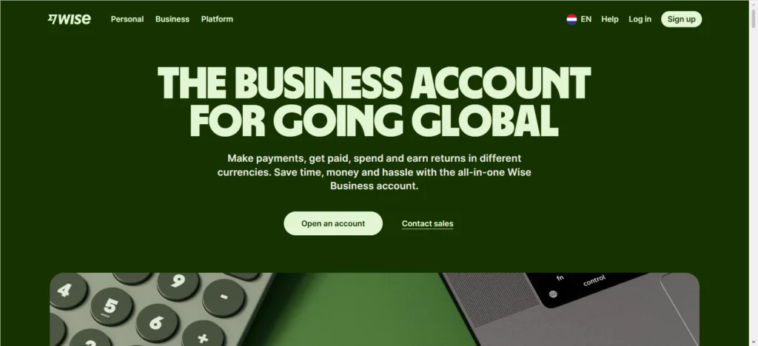
If you work with clients in other countries, you know the pain. Bank fees eat into your income. Exchange rates are a mystery. Payments take days to arrive. And keeping track of everything feels like a full-time job.
Wise Business fixes most of that.
Make sure to subscribe to this article
It’s not a bank. It’s a financial tool built for people who deal with multiple currencies regularly.
Think of it as a multi-currency account that lets you hold, send, and receive money in over 40 currencies. And for remote freelancers, it solves problems that traditional banks simply ignore.
Here’s what makes it different, how it works, and why so many freelancers are switching to it.
What Exactly Is Wise Business?
Wise Business is a business account designed for companies, sole traders, and freelancers who operate internationally. It gives you local bank account details in multiple currencies—so you can get paid like a local, even though you’re not.
For example, if you’re based in the UK but have a US client, Wise gives you US account details. Your client sends a domestic transfer.
No international wire fees. No middlemen. The money lands in your Wise account, and you decide when to convert it.
The company behind it, Wise (formerly TransferWise), launched in 2011 and now serves over 16 million users globally.
The business account came along in 2016, and today it’s used by hundreds of thousands of businesses every quarter.
Wise is regulated by financial authorities in multiple countries, so your money is protected. But because it’s not a bank, it doesn’t offer loans or overdrafts. What it does offer is simple, transparent, and fast.
The Core Features That Matter to Freelancers
Hold and Manage 40+ Currencies
You can hold balances in over 40 different currencies. This matters because you don’t have to convert money the moment you receive it. If the exchange rate is bad today, you wait. If it improves next week, you convert then. You stay in control.
Local Account Details in 8+ Currencies
This is the feature that changes everything. Wise gives you local bank details for currencies like USD, EUR, GBP, AUD, and more.
When a client pays you in their local currency, it’s treated as a domestic transfer. That means lower fees and faster processing.
Free Invoicing Tools
You can create professional invoices directly in Wise and send them to clients. No need for a separate invoicing tool. Clients can pay through a link, and you’ll see when the invoice is paid.
Batch Payments
If you pay multiple contractors or suppliers, this is a lifesaver. You can upload a spreadsheet and send up to 1,000 payments at once. No manual processing. No copy-pasting bank details.
Accounting Software Integration
Wise Business connects directly to tools like QuickBooks and Xero. Transactions sync automatically. This saves hours of manual data entry and makes tax time much less painful.
Team Access and Permissions
You can add team members with custom permissions. Your accountant can view transactions but not make payments. Your assistant can send invoices but not access sensitive data. You stay in control.
Business Debit Cards
You get physical and virtual debit cards for business expenses. Spend in any currency without foreign transaction fees. Some regions even offer cashback on purchases.
How Remote Freelancers Actually Use Wise Business
Getting Paid by International Clients
This is the number one use case. You share your local account details with a client. They pay via domestic transfer. The money arrives fast, often within hours. No SWIFT fees. No intermediary banks taking a cut.
If your client prefers to pay by card, Wise Business can accept credit and debit card payments too. You can even create payment links and QR codes to make it easy for them.
Holding Money in Multiple Currencies
Let’s say you earn in USD but spend in EUR. You keep your USD balance until the exchange rate is favorable, then convert. Wise uses the mid-market rate—the real rate you see on Google—with low, transparent fees.
Paying Contractors and Suppliers
If you hire other freelancers, you can pay them in their local currency. Wise handles the conversion at a fair rate. And if you pay multiple people, batch payments do it all in one go.
Keeping Business and Personal Finances Separate
This sounds basic, but it’s important. Mixing personal and business transactions makes accounting messy and can cause problems at tax time. Wise Business keeps everything separate, with clear statements for your business income and expenses.
Managing Cash Flow Across Currencies
You can see all your balances in one dashboard—USD, EUR, GBP, and more. This gives you a clear picture of your cash position, no matter what currency your clients pay in.
The Two Plans: Essential vs Advanced
Wise Business offers two plans.
Essential is free to open. You get batch payments, multi-currency holding, accounting software integration, team access, and debit cards. It’s a solid option if you primarily send payments and manage multiple currencies.
Advanced requires a one-time setup fee (varies by region, around £50 in the UK). It adds the ability to receive money in 23+ currencies, create payment links and QR codes, accept card payments, and set up direct debits.
For most freelancers, Essential covers the basics. Advanced becomes valuable when you’re regularly receiving payments from clients in many different countries.
What It Costs
There’s no monthly fee for either plan.
The main costs are transaction fees. When you send money or convert currencies, you pay a small percentage—typically from around 0.23% to 0.68%, depending on the currency pair. These fees are clearly shown before you confirm any transaction.
Receiving money is free for domestic transfers in most major currencies. SWIFT payments have a fixed fee.
The one-time setup fee for Advanced unlocks the receiving features. After that, ongoing costs are the same as Essential.
Frequently Asked Questions
Do I need a registered company to open Wise Business?
No. Sole traders, freelancers, and unregistered businesses can open one. You just need to provide basic business details and verify your identity.
Can I use Wise Personal for business?
Technically, no. Using a Personal account for business purposes violates Wise’s terms of use. If Wise detects business activity on a Personal account, they can freeze or close it. It’s not worth the risk.
How long does it take to get paid?
Domestic transfers in supported currencies usually arrive within hours. International SWIFT payments take longer and cost more.
Is my money safe?
Wise safeguards customer funds in separate accounts with trusted banks. They’re regulated by financial authorities in multiple countries.
Can I switch from Wise Personal to Wise Business?
You can’t convert a Personal account into a Business account. But you can open a Business account separately and transfer funds between them.
Final Thoughts
Wise Business isn’t magic. It won’t find you clients or do your taxes. But it removes the friction that comes with getting paid across borders.
No more wondering how much of your invoice will disappear in fees. No more waiting a week for a payment to clear.
For remote freelancers, that’s a big deal. You spend less time worrying about money and more time doing the work you actually get paid for.
The one-time setup fee for Advanced is small compared to what you’ll save in bank fees over a year. And the Essential plan is free to try. There’s really no reason not to test it out.
The real question isn’t whether Wise Business works. It’s whether you’re ready to stop overpaying for international payments.
What’s the biggest headache you deal with when getting paid by international clients?
Get started- Wise



GIPHY App Key not set. Please check settings