

 Udemezue John
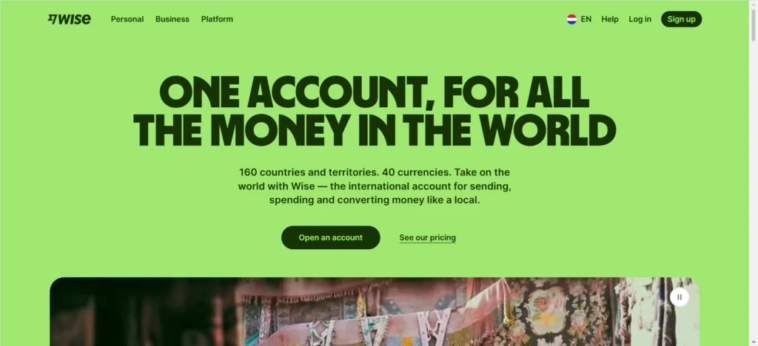
If you work remotely for clients in other countries, getting paid shouldn’t be complicated. But for years, it was.
You’d send an invoice, wait weeks for a bank transfer to clear, and then watch a chunk of your hard-earned money disappear in fees and bad exchange rates.
Make sure to subscribe to this article
Wise changed all that.
It lets you receive payments from clients anywhere in the world, hold money in multiple currencies, and convert it at the real exchange rate you see on Google.
No hidden markups. No surprise fees. Just clean, transparent banking designed for people who work across borders.
Here’s exactly how to set it up, get paid, and keep more of what you earn.
Why Wise Is Different for Remote Workers
Most banks charge you twice when you receive international payments. First, they hit you with a receiving fee—anywhere from $15 to $50 per transfer. Then they give you a terrible exchange rate, keeping the difference as profit.
Wise doesn’t play that game.
When someone sends you money through Wise, you get the mid-market exchange rate—the same rate you see when you search “USD to EUR” on Google. There are no markups.
The fees are low and clearly shown upfront. And for many types of incoming payments, receiving is completely free.
The other big advantage: local bank details. Wise gives you account details in multiple currencies, so clients can pay you like a local.
Your US client makes a domestic transfer to your US account details. Your UK client does the same with your UK details. No international wires. No delays. No extra fees.
How to Set Up Your Wise Account for Receiving Payments
Getting started takes about 10 minutes.
1. Create Your Account
Go to the Wise website or download the app. Sign up with your email, Google account, or Facebook. It’s free.
2. Verify Your Identity
Wise needs to confirm who you are. This is a legal requirement, not a hassle. You’ll upload a photo of your ID (passport or driver’s license) and sometimes proof of address. The verification usually takes about 2 working days.
Here’s a tip: complete verification before you need to receive a large payment. If you verify upfront, there are no delays when money arrives.
If you wait until the payment is already on its way, Wise might hold it until they finish checking your documents.
3. Open Currency Accounts
Once verified, you can open balances in different currencies. Wise supports over 40 currencies. For each one, you get local account details—like a routing number and account number for USD, or an IBAN for EUR.
To open a balance, just go to your account, click “Open a balance,” and pick the currency you need. No extra fees.
4. Share Your Details with Clients
This is the simple part. For each currency, Wise gives you account details that look just like a local bank account. Share those with your client, and they can pay you through their regular bank. No special setup on their end.
The Different Ways to Get Paid
Wise gives you several options for receiving money. Each works best in different situations.
1. Local Bank Transfers (The Best Option)
This is what you’ll use most of the time. You share your local account details for a specific currency, and your client makes a domestic bank transfer.
For example, if you have a US client paying in dollars, you give them your USD account details. They transfer money from their US bank account to yours. It’s treated as a domestic transfer, so it’s fast and often free.
Wise supports local account details for 22 major currencies, including USD, EUR, GBP, AUD, CAD, SGD, and NZD.
Why this matters: Your client doesn’t need a Wise account. They just use their normal bank. The transfer arrives in your Wise account like any other deposit.
2. SWIFT Transfers (For Currencies Without Local Details)
If your client needs to send a currency that Wise doesn’t support with local details, they can use SWIFT—the international bank transfer system. Wise accepts SWIFT transfers in many currencies.
There’s one catch: when someone sends money via SWIFT, intermediary banks along the way might deduct their own fees.
These fees come out of the transfer amount before it reaches you. That’s not Wise’s fee—it’s the banking system. For this reason, local transfers are almost always better.
3. Wise-to-Wise Transfers
If both you and your client have Wise accounts, transfers are instant and free. People can find you using your email, phone number, or Wisetag (a unique identifier like @yourname).
This is the fastest way to get paid—often in seconds. But it requires your client to also use Wise, which not all of them will.
4. Payment Requests and Links
You can create a payment request link and send it to anyone. They click the link, enter their card or bank details, and pay you. No account needed on their end.
This is useful for one-off clients or smaller payments. The fee is slightly higher than bank transfers, but it’s convenient when you don’t want to share your full account details.
What It Costs to Receive Money
Here’s the straightforward answer: most incoming transfers are free.
When someone sends money to your Wise account through a local bank transfer, Wise doesn’t charge you anything to receive it. The sender pays their own bank’s transfer fee, but that’s between them and their bank.
The exceptions:
- Receiving USD through a wire transfer (not ACH) may have a small fee
- SWIFT transfers might have intermediary bank fees deducted along the way
- If you convert the money to another currency, you pay the conversion fee—usually around 0.5% to 1% of the amount
The key difference from traditional banks: Wise shows you exactly what you’re paying before you confirm anything. No surprises.
How Long Does It Take?
Speed is one of Wise’s biggest strengths. Around 70% of transfers arrive within 20 seconds, and about 95% arrive on the same day.
For local bank transfers, the money usually appears in your Wise account within 1-2 business days. Wise-to-Wise transfers are nearly instant. SWIFT transfers can take a few days, depending on the banks involved.
If you need money quickly, ask your client to use a local transfer or Wise-to-Wise if possible.
Are There Limits?
For most currencies, there’s no limit on how much you can receive.
However, for USD accounts, there are annual limits: $35 million for personal accounts and $150 million for business accounts. Unless you’re running a very large operation, this won’t affect you.
If you receive a large payment—say, over $10,000—Wise might ask about the source of the money. This is a regulatory requirement, not a problem. Just answer honestly and the payment goes through.
Wise vs. Other Options
Here’s how Wise compares to the alternatives remote workers often use.
Wise vs. PayPal: PayPal is convenient for small payments and online shopping, but it’s expensive for international transfers. PayPal charges around 5% in fees and gives you a worse exchange rate. Wise gives you the real market rate with much lower fees. For larger payments, Wise is significantly cheaper.
Wise vs. Bank Transfers: Traditional banks charge receiving fees ($15-$50 per transfer), give poor exchange rates (often 2-3% worse than the market rate), and take days to process. Wise charges less and gives you the real rate.
Wise vs. Payoneer: Payoneer works well for marketplace sellers but has complex fees that vary by country. Wise is simpler and usually cheaper for straightforward client payments.
The smart move: Many remote workers use Wise as their primary receiving account and keep PayPal for small or one-off payments.
Common Mistakes to Avoid
Using a personal account for business income.
Wise’s terms require a Business account if you’re receiving payments for goods or services. It’s a simple fix—just open a separate Business account—but ignoring it can get your account frozen.
Not verifying your identity early.
If you wait until a payment is already on its way, Wise might hold the money while they check your documents. Verify upfront to avoid delays.
Forgetting to check currency settings.
When you receive money, it stays in the currency it was sent in. If you want it in your local currency, you need to convert it manually. Wise doesn’t auto-convert unless you set it up.
Sharing the wrong account details.
Make sure you give your client the correct details for the currency they’re paying in. Giving USD details for a EUR payment won’t work.
Final Thoughts
Getting paid as a remote worker used to mean losing money to banks and waiting days for transfers to clear. Wise changed that by giving you local bank accounts in multiple currencies, real exchange rates, and low transparent fees.
The setup takes 10 minutes. The ongoing cost is minimal. And the peace of mind—knowing you’re not getting ripped off on exchange rates—is worth it alone.
If you’re still using PayPal or bank transfers for international client payments, give Wise a try. Send a small test payment first to see how it works. Once you see the difference in fees and speed, you won’t go back.
What’s your current setup for getting paid by international clients? And what’s the biggest frustration you’ve run into?
Get started – Wise



GIPHY App Key not set. Please check settings