

 Udemezue John
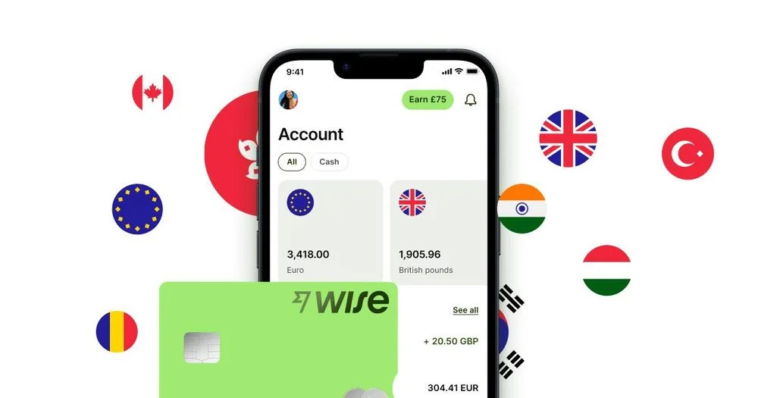
If you work remotely and get paid by clients in different countries, you’ve probably heard of Wise. It’s the go-to tool for holding multiple currencies, sending money abroad, and getting paid without losing a chunk of your income to bank fees.
But here’s the thing: Wise offers two types of accounts—Personal and Business. And picking the wrong one can cause problems down the road.
Make sure to subscribe to this article
Maybe you’re a freelancer with a few international clients. Or you run a small agency and pay contractors in different time zones.
Or you’re a solopreneur just getting started. The choice between Wise Personal and Wise Business isn’t always obvious.
Let’s break it down simply, so you know exactly which account fits your situation.
The Short Answer
Both accounts let you hold over 40 currencies, convert money at the real mid-market exchange rate, and send payments to more than 140 countries with low, transparent fees. They both offer physical and digital debit cards, and neither charges monthly fees.
The difference? Wise Business gives you tools built for running a business. Invoicing, batch payments, team access, accounting software integration, and the ability to receive payouts from platforms like Stripe and Amazon.
And here’s the important part: using a Personal account for business purposes violates Wise’s terms of use. If you’re receiving payments for goods or services, you’re technically required to have a Business account.
What Both Accounts Offer (The Shared Stuff)
Before we get into the differences, let’s cover what’s the same. Both Wise Personal and Wise Business give you:
- Multi-currency balances. Hold and convert over 40 currencies.
- Mid-market exchange rates. No markups. You get the real rate you see on Google.
- Local account details. Get paid like a local in 8+ currencies, including USD, EUR, GBP, and AUD.
- Low fees. No hidden charges. You only pay for what you use.
- A debit card. Spend in any currency without foreign transaction fees.
- No monthly fees. Both accounts are free to open and keep open.
So if all you need is to receive payments, hold different currencies, and spend money abroad, the Personal account might seem like enough. But for remote workers running an actual business, the Business account adds serious value.
What Makes Wise Business Different
1. Invoicing Tools
Wise Business includes a free invoicing tool. You can create, send, and track invoices directly from your account. Clients can pay through a payment link, and you can see exactly when invoices are paid.
If you’re sending invoices manually through email or spreadsheets, this saves time and makes you look more professional.
2. Batch Payments
This is a game-changer if you pay multiple people regularly. With Wise Business, you can pay up to 1,000 people in a single transaction by uploading an Excel or CSV file.
If you run a small agency or hire freelancers in different countries, this feature alone is worth switching for. You don’t have to process each payment one by one.
3. Team Access and Permissions
Need an accountant or team member to help manage finances? Wise Business lets you add team members with custom permissions. You control who can see what and who can make payments.
The Personal account doesn’t offer this at all.
4. Accounting Software Integrations
Wise Business connects directly with tools like QuickBooks and Xero. This automates your bookkeeping and makes tax time much less painful. No manual data entry.
5. Business Debit Cards and Expense Management
You can get Wise Business cards for employees and manage expenses in one place. The Personal account only offers a single card for the account holder.
6. Receive Platform Payouts
Wise Business can receive payouts from Stripe, Amazon, and other platforms. This is useful if you sell products or services through third-party marketplaces.
The Fees: What You Actually Pay
Here’s the good news: both accounts have no monthly fees.
But there’s a one-time setup fee for Wise Business. The amount varies by region. In Europe, it’s around €50. In Canada, it’s about CA$55. In the UK, it’s £45.
After that, you pay transaction fees just like the Personal account. Currency conversion fees start from around 0.48%, depending on the currency pair.
So the Business account costs a small one-time fee to unlock all the business features. After that, the ongoing costs are the same as Personal.
Why Remote Workers Often Choose the Wrong Account
Here’s a common scenario. A freelance designer lands their first international client. They open a Wise Personal account, receive payments in USD, convert to their local currency, and everything works fine.
Then they get a second client. Then a third. Suddenly they’re sending invoices manually, tracking payments in a spreadsheet, and paying contractors one by one. Their finances become messy and time-consuming.
The Personal account was never built for this. It works for a while, but as your business grows, the friction increases. And technically, it’s against Wise’s terms to use a Personal account for business income.
Opening a Business account from the start saves you the hassle of switching later. You get the tools you need, and you stay compliant.
Which One Should You Choose?
Here’s a simple way to decide.
Choose Wise Personal if:
- You only have one or two clients
- You send fewer than five payments a month
- You don’t need to invoice or track expenses
- You’re just getting started and want to keep things simple
Choose Wise Business if:
- You have multiple clients or customers
- You send payments to contractors, suppliers, or employees
- You need to create and send invoices
- You want to connect your account to accounting software
- You work with a team or accountant
- You receive payments through Stripe, Amazon, or similar platforms
- You want to keep your business and personal finances completely separate
Even if you’re a sole trader or freelancer with just a few clients, Wise Business is often the better long-term choice. The one-time setup fee is small compared to the time you’ll save.
A Note on Compliance
Using a Personal account for business isn’t just against Wise’s rules. It can also cause issues at tax time. Mixing personal and business transactions makes it harder to track deductible expenses and prepare accurate tax returns.
A Business account gives you clear, separate statements for your business income and expenses. This makes accounting simpler and keeps you on the right side of tax authorities.
Frequently Asked Questions
Can I switch from Wise Personal to Wise Business?
Yes. You can open a Wise Business account separately and transfer funds between the two. But you can’t convert a Personal account into a Business account—they’re separate products.
Do I need a registered company to open Wise Business?
No. Sole traders, freelancers, and unregistered businesses can open a Wise Business account. You just need to provide basic business details and identity verification.
Can I use both accounts at the same time?
Yes. Many remote workers keep a Personal account for personal spending and a Business account for client payments and business expenses.
What happens if I use a Personal account for business?
Wise can freeze or close your account if they detect business activity on a Personal account. It’s not worth the risk.
Does Wise Business accept payments from clients in their local currency?
Yes. You get local account details in multiple currencies, so clients can pay you via domestic bank transfers. This reduces fees and speeds up payments.
Final Thoughts
The Wise Personal account is perfectly fine for individuals managing their own money. But if you’re earning income from clients, paying contractors, or running any kind of business, Wise Business is the smarter choice.
The one-time setup fee is minimal. The features—invoicing, batch payments, team access, accounting integrations—save you hours of admin work. And staying compliant with Wise’s terms means you won’t wake up to a frozen account one day.
Remote work is already complicated enough. Your banking shouldn’t add to the chaos. Choose the account that gives you room to grow.
What’s your current setup—Personal or Business? And what made you choose that over the other?


GIPHY App Key not set. Please check settings