

 Udemezue John

You just landed your first international client. They’re ready to pay you.
Then you realize they’re in the US, you’re in Europe or Asia, and your local bank charges a fortune for international transfers. Suddenly, a chunk of your hard-earned money disappears before it even hits your account.
Make sure to subscribe to this article
This is exactly why Wise exists.
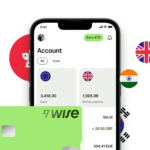
Wise is a global money account that lets you hold, send, and receive money in over 40 currencies. It uses the real exchange rate you see on Google—not a marked-up bank rate—and shows you exactly what you’ll pay before you confirm anything.
For remote workers, freelancers, and anyone getting paid across borders, Wise is one of the most useful tools you can set up. Here’s exactly how to get started.
What Makes Wise Different from a Regular Bank Account?
Most banks charge you in two ways when you receive international money. First, they take a fee for the transfer. Second, they give you a poor exchange rate and keep the difference as profit.
Wise does neither.
They use the mid-market exchange rate—the same rate you see on Google or Reuters—with no markup. Instead, they charge a small, transparent fee that varies by currency pair, typically between 0.35% and 2%.
On a $5,000 monthly salary, the all-in cost on Wise is likely to be well under $50. Compare that to PayPal, which can take 4.5% to 6.5% of your money in fees and conversion costs. Bank wires can run 3% to 7% once you factor in all the hidden charges.
The difference adds up fast. On $50,000 of annual international income, Wise could save you between $1,250 and $3,250 compared to banks or PayPal. That’s real money you keep instead of losing to fees.
1. Sign Up for Your Wise Account
Getting started takes about ten minutes. Here’s what to do:
Download the app from the App Store or Google Play, or go to the Wise website on your computer.
Tap “Sign up” and enter your email address. You’ll also need to create a password.
Choose your account type. If you’re a freelancer or remote worker just getting started, a Personal account works fine.
If you run a business, hire others, or send invoices regularly, you might want Wise Business instead. (More on that later.)
Enter your personal details. Wise needs your full name, date of birth, and address. This is standard for any financial account.
Verify your identity. You’ll need to upload a photo of your passport, driver’s license, or national ID card. You may also need to take a selfie for verification. This sounds intrusive, but it’s required by law to prevent fraud and money laundering.
Wait for approval. Most verifications are completed within a few hours. Sometimes it takes a day or two. You’ll get an email when you’re approved.
2. Get Your Local Account Details
This is the feature that makes Wise so powerful for remote workers.
Once your account is verified, you can generate local bank account details for multiple currencies. This means you can give your US client a US account number and routing number. Your European client gets a European IBAN. Your UK client gets a sort code and account number.
To your clients, it looks like they’re paying someone in their own country. They make a domestic transfer, which is often cheap or free for them. And there’s no fee for you to receive the money into Wise.
Here’s how to find your details:
- Open the Wise app or website
- Go to your account balances
- Select the currency you want to receive (USD, EUR, GBP, etc.)
- Tap “Account details” or “Get account details”
- Copy the information and add it to your invoices or share it with your client
You can get local account details for 8 or more currencies, including USD, EUR, GBP, and AUD.
3. Receive Your First Payment
Once your client sends the money, it typically arrives in your Wise account within one to two business days. In some cases, it can be much faster—sometimes in seconds.
The money sits in your Wise account in the currency it was sent. You don’t have to convert it immediately. You can hold it in that currency and decide when to exchange it.
This is useful if you think the exchange rate might get better. Wise even lets you set rate alerts to notify you when a currency hits a favourable level, or use auto-convert to exchange automatically when your target rate is reached.
4. Convert and Withdraw Your Money
When you’re ready to convert your money to your local currency, Wise shows you the exact exchange rate and fee upfront. No surprises. No hidden margins.
Once converted, you can send the money to your local bank account or e-wallet. Transfers to local banks usually arrive within a few hours or by the next business day.
You can also spend directly from your Wise account using the Wise debit card, which works in over 160 countries. This is handy if you travel or make purchases in foreign currencies.
Wise Personal vs. Wise Business: Which One Do You Need?
If you’re a new remote worker with one or two clients, a Personal account is probably all you need.
But as your work grows, you might want to switch to Wise Business. Here’s why:
- Invoicing tools – Create and send invoices directly from Wise
- Batch payments – Pay multiple contractors at once, up to 1,000 payments in a single batch
- Team access – Add an accountant or team member with custom permissions
- Accounting integrations – Connect with QuickBooks, Xero, and FreeAgent to automate bookkeeping
- Business debit cards – Issue cards to employees with spending limits
The Business account has a one-time setup fee—around $50 USD or £45 GBP—but no monthly fees. And importantly, using a Personal account for business transactions is against Wise’s terms of use. If you’re receiving payments for goods or services, you’re technically required to have a Business account.
What About PayPal?
Many remote workers start with PayPal because it’s familiar. But the costs are significant.
PayPal applies a markup to the exchange rate of around 2.5% to 4.5%, plus transaction fees that can range from 2.9% to 4.4%. On a $1,000 payment, you could lose $50 to $100 or more to fees and poor exchange rates.
Wise, by comparison, typically costs 0.5% to 2% of the transfer amount. That’s a massive difference over time.
PayPal is convenient for quick payments and online purchases. But for actually getting paid by international clients and keeping most of your money, Wise is the better choice.
Common Questions New Users Ask
Do I need a minimum balance?
No. Wise doesn’t require you to keep any minimum amount in your account.
Are there monthly fees?
No. Both Personal and Business accounts have no monthly fees.
Can I receive payments in my local currency?
Yes. You can receive in over 40 currencies and convert to your local currency when you’re ready.
How long does verification take?
Most verifications are completed within a few hours. Sometimes it takes 1-2 days.
Is Wise safe?
Wise is regulated in multiple countries and has over 14.8 million customers moving £36 billion every quarter. It’s rated 4.3 stars on Trustpilot from over 293,000 reviews.
Final Thoughts
Getting paid as a remote worker doesn’t have to be complicated or expensive. Wise simplifies the whole process—you get local bank details in multiple currencies, receive money with no receiving fee, convert at the real exchange rate, and pay only a small, transparent fee.
The setup takes minutes. The savings add up to hundreds or thousands of dollars a year. And once it’s set up, you barely have to think about it again.
The hardest part is just getting started. Download the app, verify your identity, and get your account details. Your future self—the one who keeps more of their hard-earned money—will thank you.
What’s been your biggest headache with getting paid internationally so far?
Get started – Wise


GIPHY App Key not set. Please check settings